> For the complete documentation index, see [llms.txt](https://zh.jego.pro/llms.txt). Markdown versions of documentation pages are available by appending `.md` to page URLs; this page is available as [Markdown](https://zh.jego.pro/fan-qiang-gong-ju/clash-verge-rev.md).
# Clash Verge Rev
基于Mihomo(原ClashMeta)内核的多平台代理客户端,并支持切换 Alpha 版本内核。简洁美观的用户界面,支持自定义主题颜色。
{% hint style="info" %}
欢迎阅读2025年Clash Verge Rev使用教程
{% endhint %}
Clash Verge Rev是Clash Verge 的延续,一款基于 Tauri 的开发的Mihomo(原ClashMeta)内核的多平台代理客户端,并支持切换 Alpha 版本内核。简洁美观的用户界面,支持自定义主题颜色、代理组/托盘图标以及 CSS Injection。配置文件管理和增强(Merge 和 Script),配置文件语法提示。系统代理和守卫、TUN(虚拟网卡) 模式。可视化节点和规则编辑。WebDav 配置备份和同步。
##  获取 Clash Verge Rev
#### Github release
打开Github Release页面后,会看到很多安装包,不用紧张,根据你的操作系统下载和安装即可。
**Windows**
Windows 7 用户请先升级至Win10/11
如果你不清楚你的电脑系统架构,请下载 x64 架构文件(目前多数 Windows 电脑使用该架构)。
**macOS**
不支持 macOS 10 操作系统,请升级 macOS 到 11 或 更高版本。
#### 操作界面
获取 Clash Verge Rev
#### Github release
打开Github Release页面后,会看到很多安装包,不用紧张,根据你的操作系统下载和安装即可。
**Windows**
Windows 7 用户请先升级至Win10/11
如果你不清楚你的电脑系统架构,请下载 x64 架构文件(目前多数 Windows 电脑使用该架构)。
**macOS**
不支持 macOS 10 操作系统,请升级 macOS 到 11 或 更高版本。
#### 操作界面
 ### 添加订阅
在**无忧行 - 控制面板**里点击左侧导航栏**订阅节点** ,找到Mihomo 订阅地址并点击**复制**。
### 添加订阅
在**无忧行 - 控制面板**里点击左侧导航栏**订阅节点** ,找到Mihomo 订阅地址并点击**复制**。
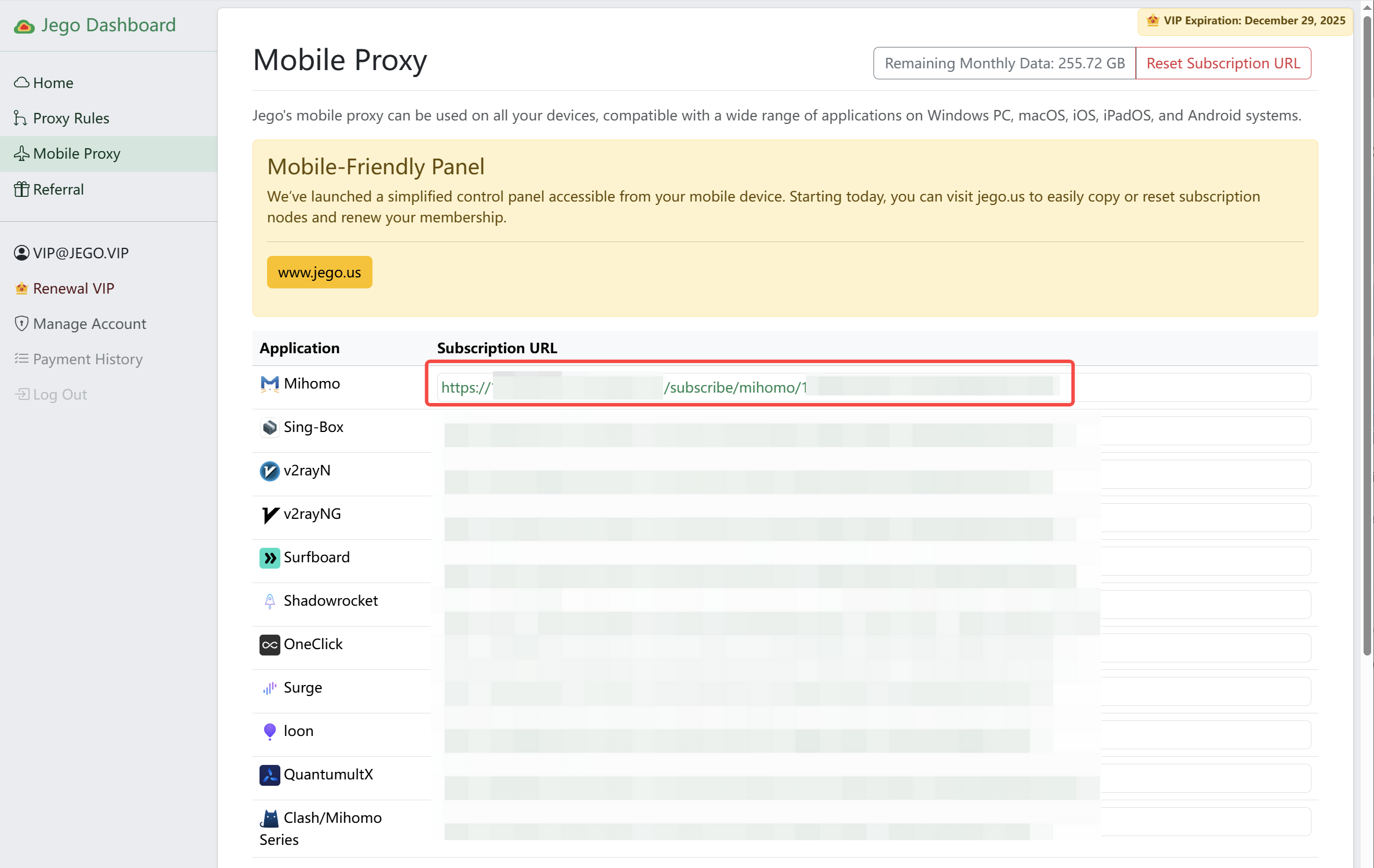 无忧行订阅服务手机面板:[https://jego.us](https://jego.us/)
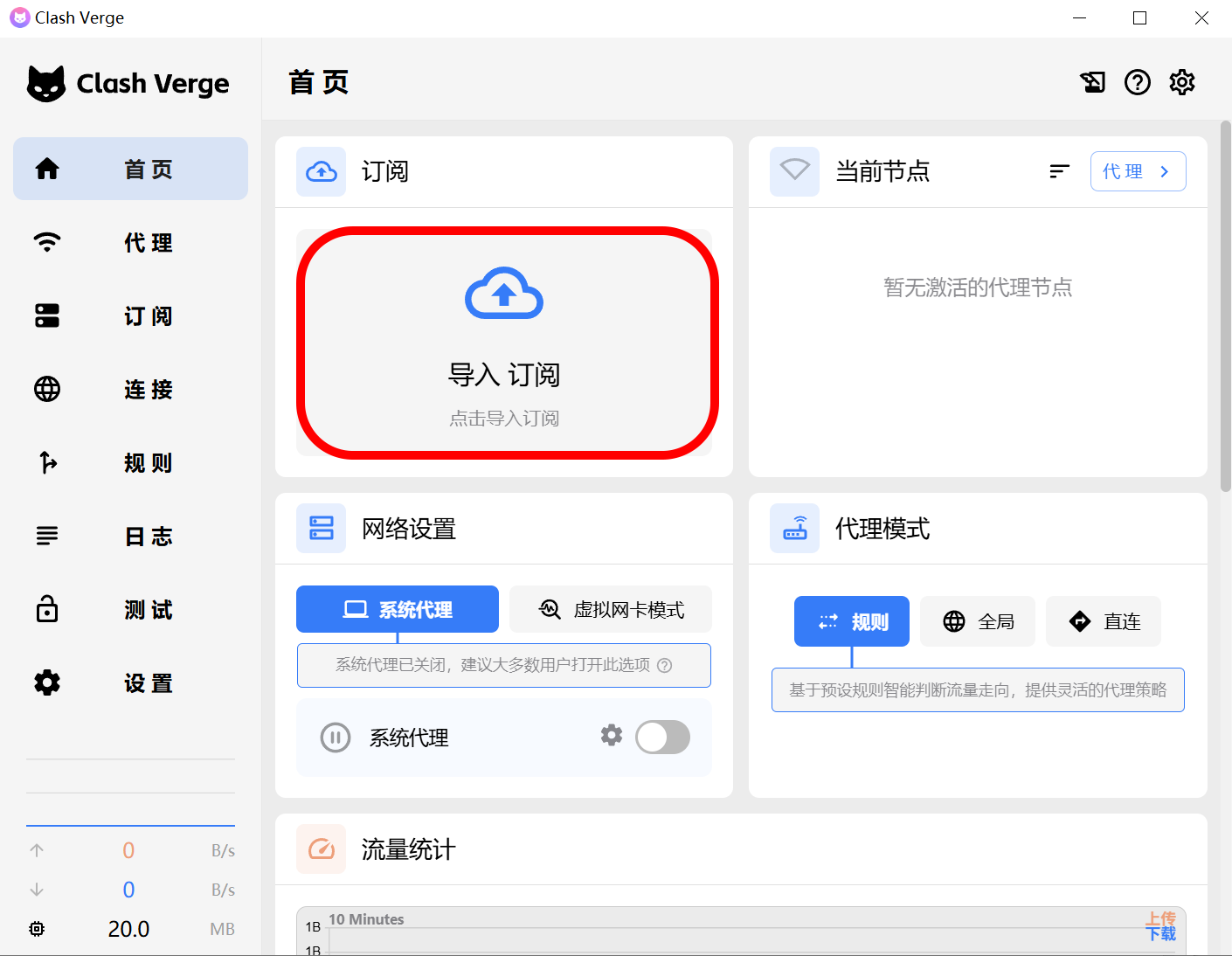
打开 Clash Verge Rev,在首页主内容区域左上角点击 **导入订阅** 。
无忧行订阅服务手机面板:[https://jego.us](https://jego.us/)
打开 Clash Verge Rev,在首页主内容区域左上角点击 **导入订阅** 。
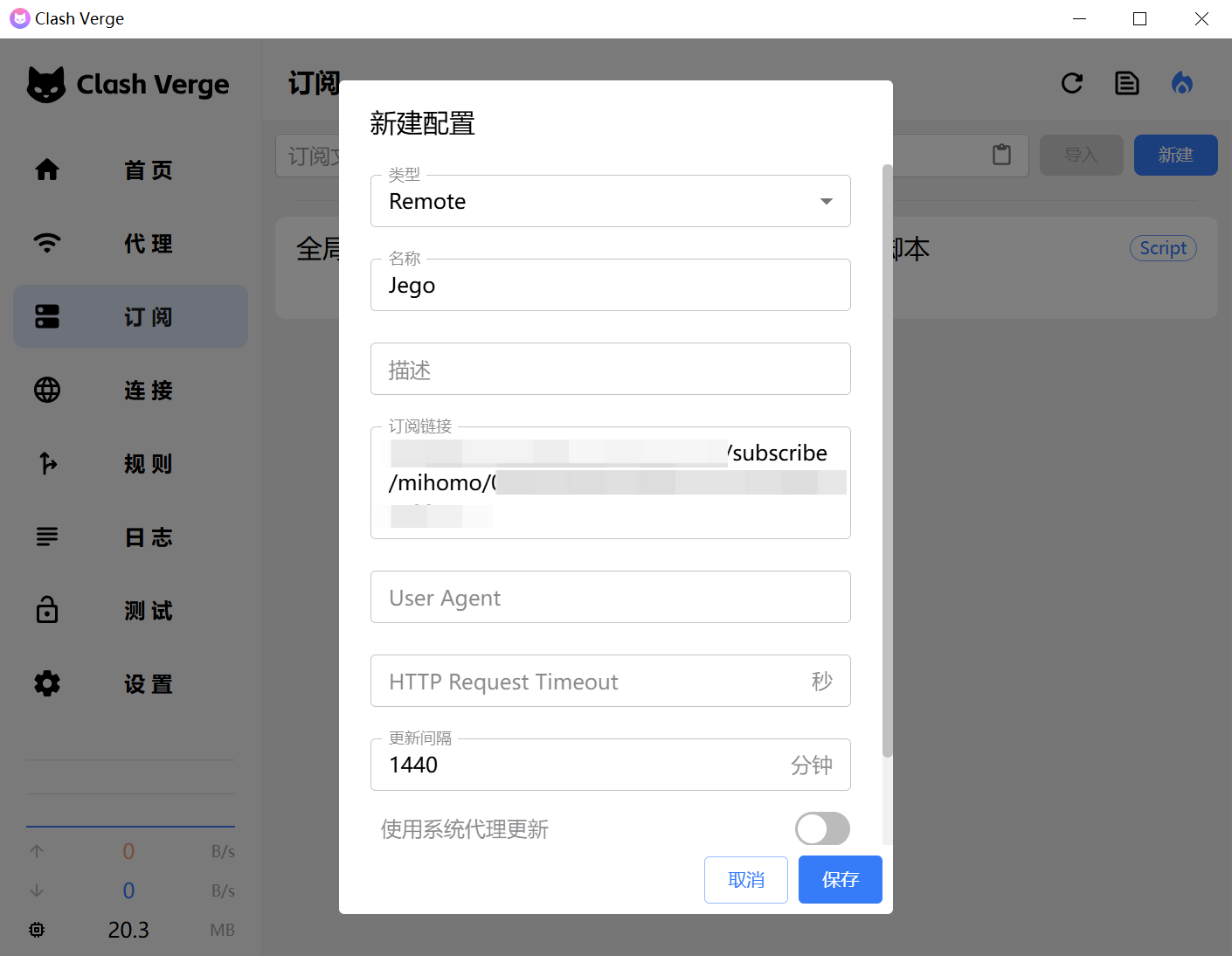
 在弹出的新建配置窗口,**类型默认**就是`Remote`,**名称**填写`Jego`,描述可以不填,**订阅链接**复制刚才从无忧行控制面板里复制的`Mihomo订阅链接`,**更新间隔**改成`1440`分钟,然后点击点击**保存**。
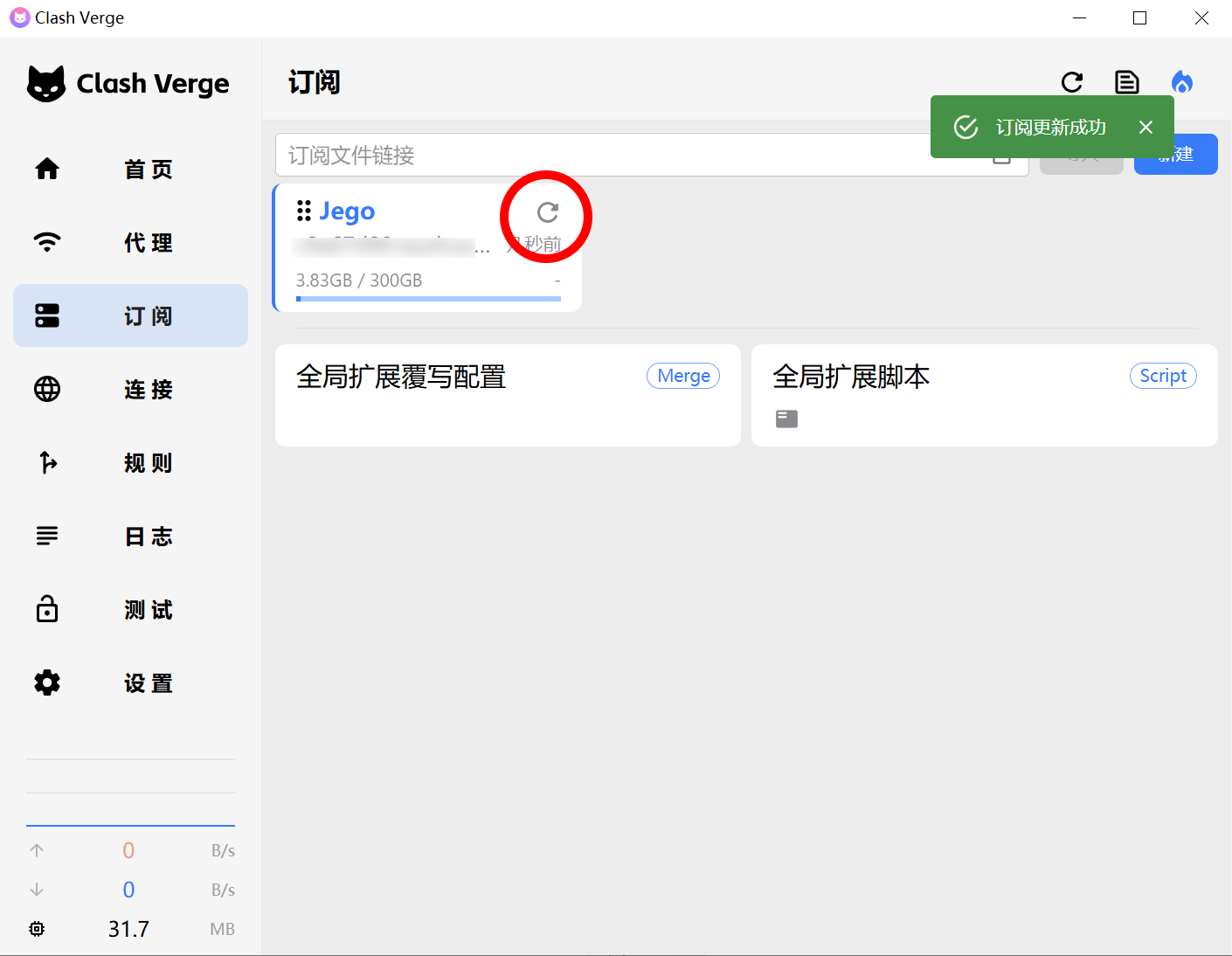
 点击Jego这个**订阅卡片**右上角的**刷新图标**,将订阅拉取到本地,成功操作后如下图右上角会出现绿色提醒:**订阅更新成功**。
 ### 开启代理
然后回到首页:打开**系统代理**以及**虚拟网卡模式**,就开启代理了,节点服务器默认是自动选择,你也可以在**当前节点**卡片进行选择。具体演示如下方视频
{% embed url="" %}
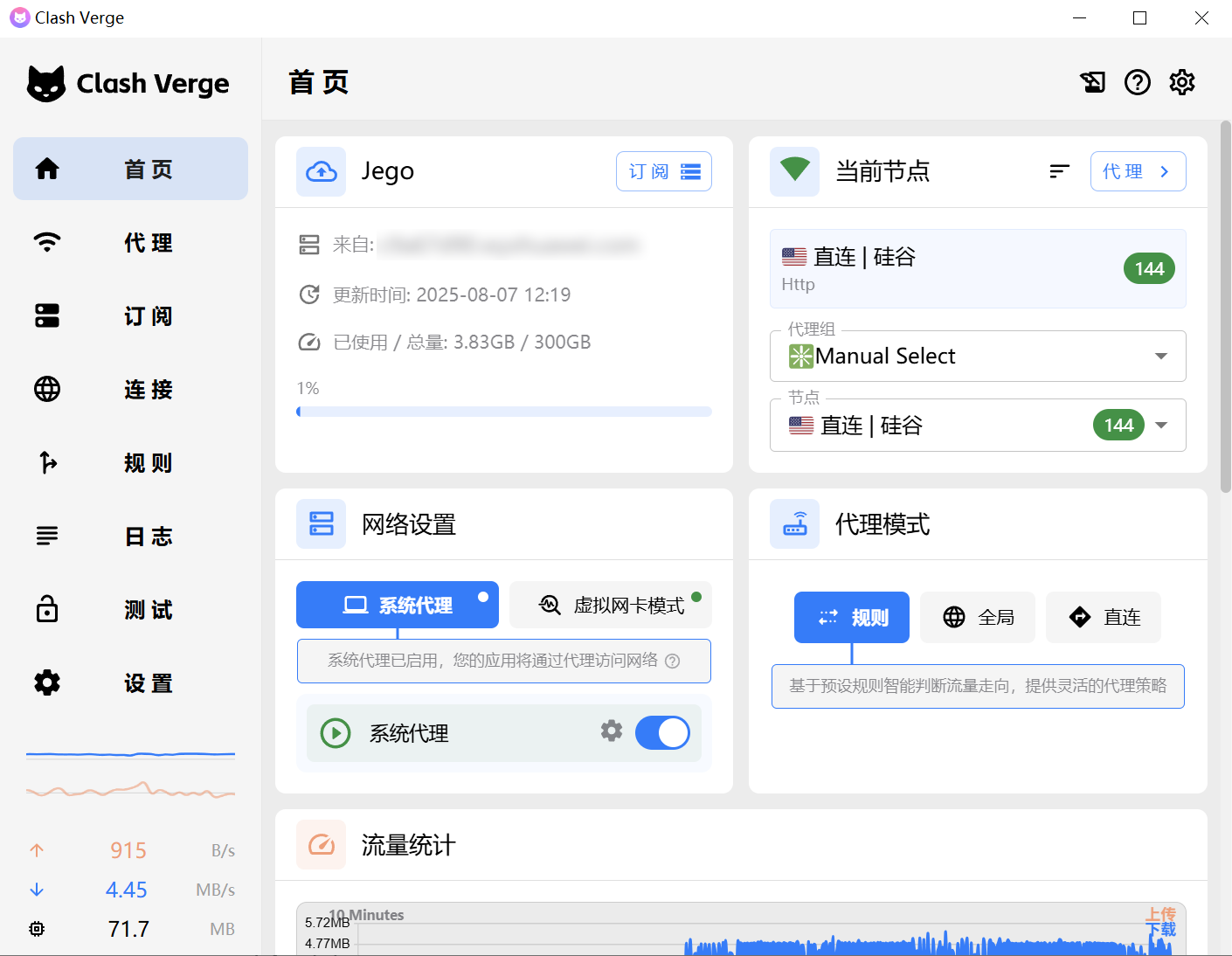
#### Clash Verge Rev成功运行时的界面如下:
1. IP信息卡片的IP从中国变为境外
2. 网站测试卡片 能看到Google、Youtube的延时
### 开启代理
然后回到首页:打开**系统代理**以及**虚拟网卡模式**,就开启代理了,节点服务器默认是自动选择,你也可以在**当前节点**卡片进行选择。具体演示如下方视频
{% embed url="" %}
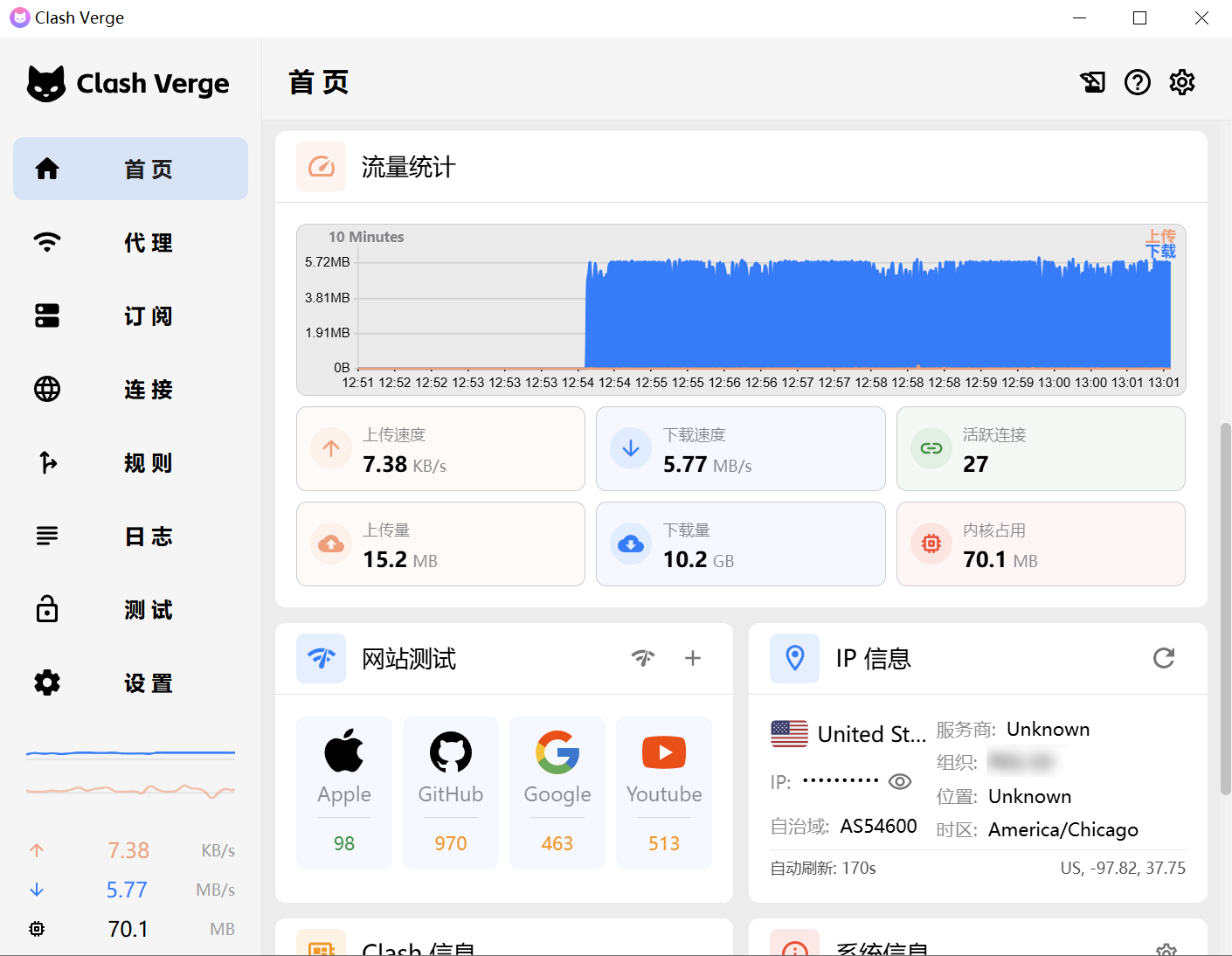
#### Clash Verge Rev成功运行时的界面如下:
1. IP信息卡片的IP从中国变为境外
2. 网站测试卡片 能看到Google、Youtube的延时
 ### 选择代理模式
#### **规则 / Rule:只代理国外流量**
适用于同时使用国内外服务的用户。
大陆流量不會消耗套餐流量。
在大陆网站上查詢 IP 得到的是本地 IP 地址。
在国外网站上查詢 IP 得到的是代理 IP 地址。
分流规则无法做到全面且具有時效性,如果遇到以下情況,请尝试全局代理。
* 无法打开国际网站;
* 加载国际网站缓慢;
#### **全局 / Global:代理所有流量**
所有流量均通过代理服务器,适用于需要全局科学上网的场景,不依赖大陆服务的用户。
對国外流量效果非常好,大陆流量會被減速。
#### **直连 / Direct:不代理任何流量**
选择此模式会将所有流量不经过代理服务器节点,但经过Mihomo内核转发链接目标服务器,将导致无法翻墙,与不开 VPN 的效果一致。
### 选择代理模式
#### **规则 / Rule:只代理国外流量**
适用于同时使用国内外服务的用户。
大陆流量不會消耗套餐流量。
在大陆网站上查詢 IP 得到的是本地 IP 地址。
在国外网站上查詢 IP 得到的是代理 IP 地址。
分流规则无法做到全面且具有時效性,如果遇到以下情況,请尝试全局代理。
* 无法打开国际网站;
* 加载国际网站缓慢;
#### **全局 / Global:代理所有流量**
所有流量均通过代理服务器,适用于需要全局科学上网的场景,不依赖大陆服务的用户。
對国外流量效果非常好,大陆流量會被減速。
#### **直连 / Direct:不代理任何流量**
选择此模式会将所有流量不经过代理服务器节点,但经过Mihomo内核转发链接目标服务器,将导致无法翻墙,与不开 VPN 的效果一致。