> For the complete documentation index, see [llms.txt](https://zh.jego.pro/llms.txt). Markdown versions of documentation pages are available by appending `.md` to page URLs; this page is available as [Markdown](https://zh.jego.pro/fan-qiang-gong-ju/sing-box-for-apple-platforms.md).
# sing-box for Apple platforms
sing-box for Apple platforms在Apple Store叫sing-box VT,是一款全新的内核,几乎支持目前所有协议,是App Store里唯一免费开源无广告而且还好用的工具。
##  获取sing-box for Apple platforms
### 苹果全家桶系列
macOS iOS iPadOS tvOS 可通过Apple Store安装,唯一门槛是需要[非中国大陆地区的Apple ID](/ding-yue-jie-dian/mei-qu-apple-id-zhu-ce-jiao-cheng.md)
* [App Store](https://apps.apple.com/app/sing-box-vt/id6673731168)
macOS还可以通过Github和命令行安装
* [GitHub Releases](https://github.com/SagerNet/sing-box/releases)
* 命令行:`brew install sfm`
额外科普一下:
* SFI是sing-box for iOS的简称;
* SFM是sing-box for macOS的简称;
* SFT是sing-box for tvOS的简称。
## 添加订阅
在**无忧行 - 控制面板**里点击左侧导航栏**订阅节点** ,找到**Sing-Box**订阅地址并点击**复制**。
获取sing-box for Apple platforms
### 苹果全家桶系列
macOS iOS iPadOS tvOS 可通过Apple Store安装,唯一门槛是需要[非中国大陆地区的Apple ID](/ding-yue-jie-dian/mei-qu-apple-id-zhu-ce-jiao-cheng.md)
* [App Store](https://apps.apple.com/app/sing-box-vt/id6673731168)
macOS还可以通过Github和命令行安装
* [GitHub Releases](https://github.com/SagerNet/sing-box/releases)
* 命令行:`brew install sfm`
额外科普一下:
* SFI是sing-box for iOS的简称;
* SFM是sing-box for macOS的简称;
* SFT是sing-box for tvOS的简称。
## 添加订阅
在**无忧行 - 控制面板**里点击左侧导航栏**订阅节点** ,找到**Sing-Box**订阅地址并点击**复制**。
 {% hint style="success" %}
无忧行订阅服务手机面板:[https://jego.us](https://jego.us/)
{% endhint %}
## sing-box for macOS /SFM 使用教程
### 添加订阅
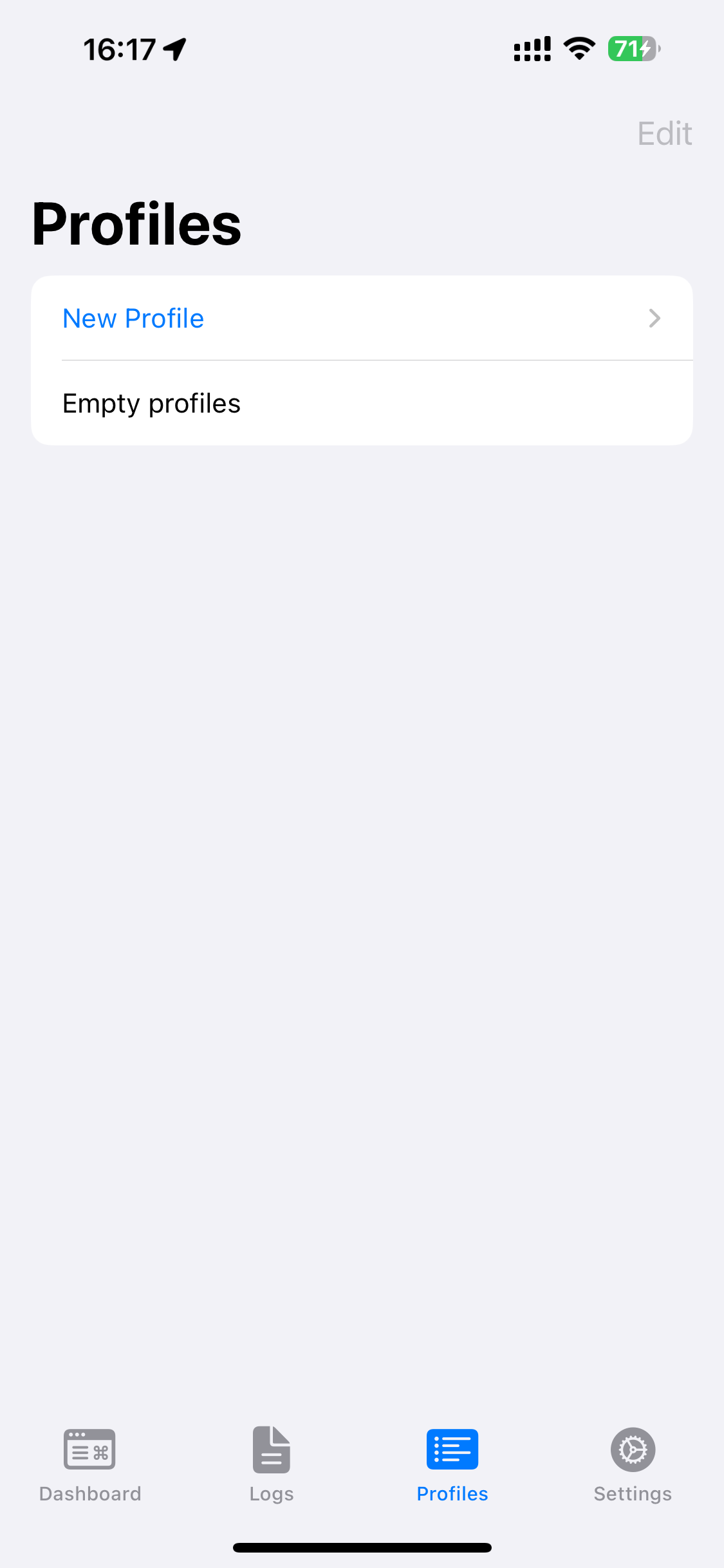
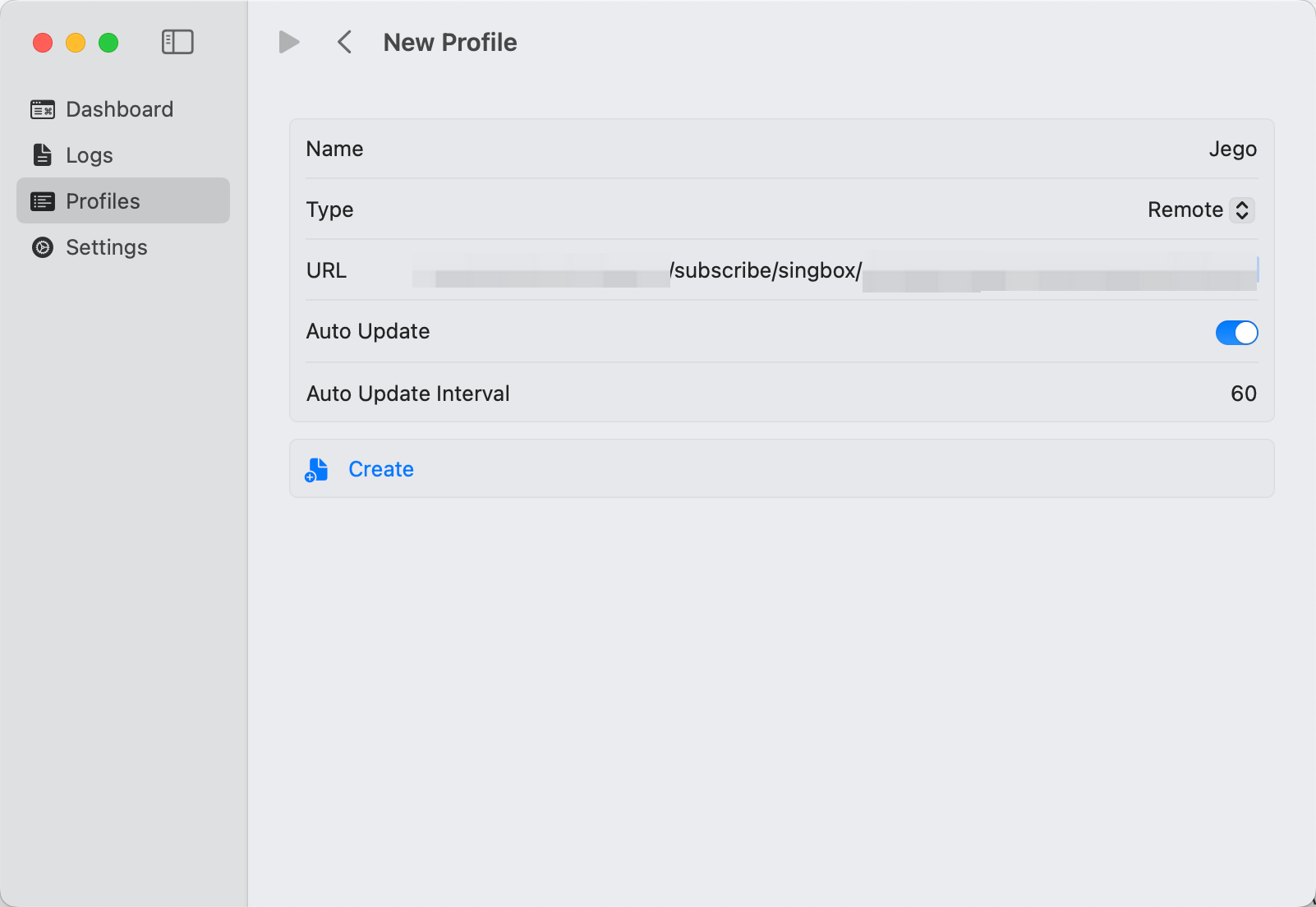
打开sing-box客户端,进入`Profiles -> New Profile`
1. Name处填`Jego`
2. Type选`Remote`
3. URL黏贴从无忧行复制的`sing-box的订阅URL`
4. 其他不动,直接点击`Create`
{% hint style="success" %}
无忧行订阅服务手机面板:[https://jego.us](https://jego.us/)
{% endhint %}
## sing-box for macOS /SFM 使用教程
### 添加订阅
打开sing-box客户端,进入`Profiles -> New Profile`
1. Name处填`Jego`
2. Type选`Remote`
3. URL黏贴从无忧行复制的`sing-box的订阅URL`
4. 其他不动,直接点击`Create`
 ### 开启sing-box
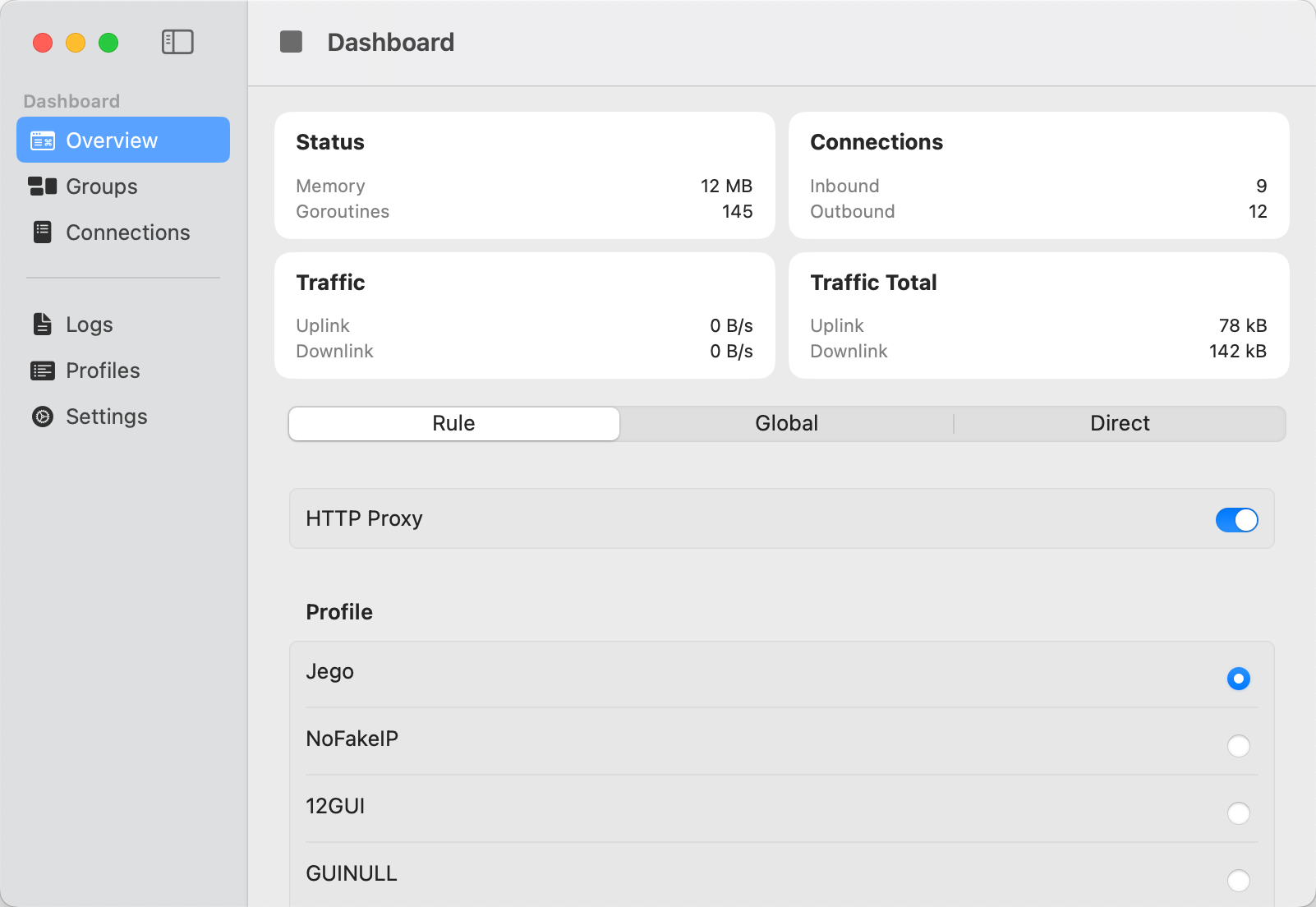
点击Dashboard,确保Profile选中刚才创建的Jego,然后点击红色圈里的`开始按钮`。
### 开启sing-box
点击Dashboard,确保Profile选中刚才创建的Jego,然后点击红色圈里的`开始按钮`。
 #### Overview - 选择上网模式
Rule Direct Global
提醒:第一次使用可能三个模式都没选中,建议点一下`Rule`。
`Rule` - 智能分流模式,根据规则自动选择直连或代理\
`Direct` - 直连模式,所有流量都不走代理\
`Global` - 全局代理模式,所有流量都走代理
#### Overview - 选择上网模式
Rule Direct Global
提醒:第一次使用可能三个模式都没选中,建议点一下`Rule`。
`Rule` - 智能分流模式,根据规则自动选择直连或代理\
`Direct` - 直连模式,所有流量都不走代理\
`Global` - 全局代理模式,所有流量都走代理
 #### Groups - 更换节点服务器
在这个页面里可以手动选择自己想使用的节点服务器。
#### Groups - 更换节点服务器
在这个页面里可以手动选择自己想使用的节点服务器。
 ## sing-box for iOS / SFI 使用教程
### 添加订阅
打开sing-box客户端,进入`Profiles -> New Profile`
1. Name处填`Jego`
2. Type选`Remote`
3. URL黏贴从无忧行复制的`sing-box的订阅URL`
4. 其他不动,直接点击`Create`
### 开启sing-box
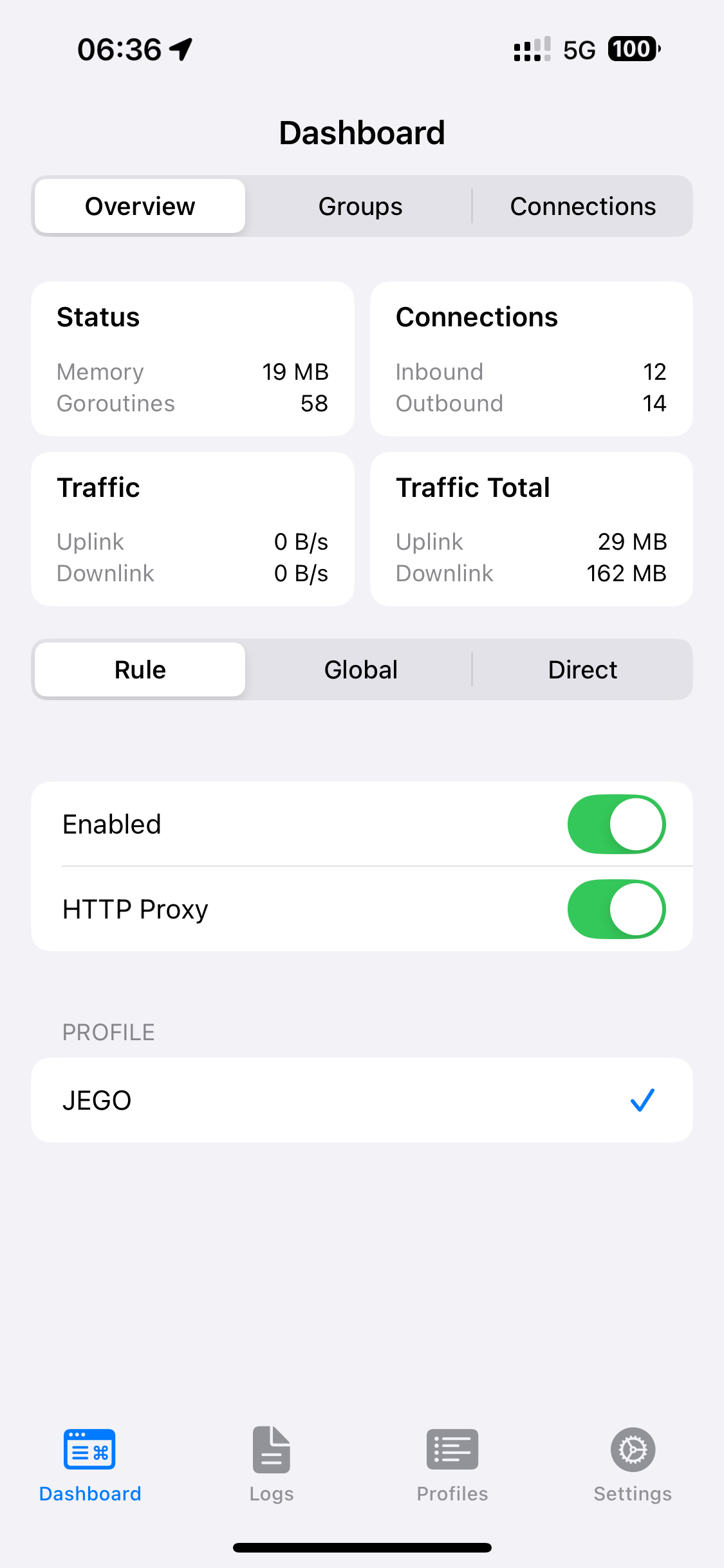
点击`Dashboard`,确保Profile选中刚才创建的Jego,然后点击的`Enabled`开关。
使用上的逻辑和上面macOS大同小异,同一套UI框架。
#### Overview 标签 - 选择上网模式
Rule Direct Global
提醒:第一次使用可能三个模式都没选中,建议点一下`Rule`。
`Rule` - 智能分流模式,根据规则自动选择直连或代理\
`Direct` - 直连模式,所有流量都不走代理\
`Global` - 全局代理模式,所有流量都走代理
#### Groups 标签 - 更换节点服务器
在这个页面里可以手动选择自己想使用的节点服务器。
## sing-box 常见问题
### 🚫 无法访问境外网站但可访问境内网站?
**🟡 情况一:刚启动时**
刚启动 sing-box 时,程序在处理境外域名解析前,会先对所有可用节点进行一次 URL 测速,目的是选出最快的节点来完成后续的 DNS 解析。因此,在测速完成前,可能暂时无法访问境外网站。
> ✅ 解决方法:如果不想等待测速过程,可以手动选择一个可用节点,这样就能立即访问境外网站。
**🟡 情况二:使用过程中出现相同问题**
如果在使用过程中也突然无法访问境外网站,很可能是当前所选节点不可用或连接质量差。
> ✅ 解决方法:请检查当前节点的连通性,必要时手动切换到一个稳定可用的节点,即可恢复访问。
***
**💡** 注意:此问题不会影响境内网站的访问,也不影响基于境外 IP 的服务(如 Telegram)的使用,只影响访问境外域名的网站。
### ⚠️ 报“服务错误”,无法启动服务
启动时如果遇到下图这个错误:
{% columns %}
{% column width="25%" %}
## sing-box for iOS / SFI 使用教程
### 添加订阅
打开sing-box客户端,进入`Profiles -> New Profile`
1. Name处填`Jego`
2. Type选`Remote`
3. URL黏贴从无忧行复制的`sing-box的订阅URL`
4. 其他不动,直接点击`Create`
### 开启sing-box
点击`Dashboard`,确保Profile选中刚才创建的Jego,然后点击的`Enabled`开关。
使用上的逻辑和上面macOS大同小异,同一套UI框架。
#### Overview 标签 - 选择上网模式
Rule Direct Global
提醒:第一次使用可能三个模式都没选中,建议点一下`Rule`。
`Rule` - 智能分流模式,根据规则自动选择直连或代理\
`Direct` - 直连模式,所有流量都不走代理\
`Global` - 全局代理模式,所有流量都走代理
#### Groups 标签 - 更换节点服务器
在这个页面里可以手动选择自己想使用的节点服务器。
## sing-box 常见问题
### 🚫 无法访问境外网站但可访问境内网站?
**🟡 情况一:刚启动时**
刚启动 sing-box 时,程序在处理境外域名解析前,会先对所有可用节点进行一次 URL 测速,目的是选出最快的节点来完成后续的 DNS 解析。因此,在测速完成前,可能暂时无法访问境外网站。
> ✅ 解决方法:如果不想等待测速过程,可以手动选择一个可用节点,这样就能立即访问境外网站。
**🟡 情况二:使用过程中出现相同问题**
如果在使用过程中也突然无法访问境外网站,很可能是当前所选节点不可用或连接质量差。
> ✅ 解决方法:请检查当前节点的连通性,必要时手动切换到一个稳定可用的节点,即可恢复访问。
***
**💡** 注意:此问题不会影响境内网站的访问,也不影响基于境外 IP 的服务(如 Telegram)的使用,只影响访问境外域名的网站。
### ⚠️ 报“服务错误”,无法启动服务
启动时如果遇到下图这个错误:
{% columns %}
{% column width="25%" %}
 {% endcolumn %}
{% column %}
{% code overflow="wrap" %}
```xml
(packet-tunnel) error: start service: initialize rule-set[2]: initial rule-set: geosite-geolocation-cn: Get "https://raw.githubusercontent.com/SagerNet/sing-geosite/rule-set/geosite-geolocation-cn.srs": context deadline exceeded | initialize rule-set[2]: initial rule-set: geoip-cn: Get "https://raw.githubusercontent.com/SagerNet/sing-geoip/rule-set/geoip-cn.srs": initialize rule-set[2]: initial rule-set: geosite-geolocation-cn: Get "https://raw.githubusercontent.com/SagerNet/sing-geosite/rule-set/geosite-geolocation-cn.srs": context deadline exceeded | initialize rule-set[2]: initial rule-set: geosite-geolocation-!cn: Get "https://raw.githubusercontent.com/SagerNet/sing-geosite/rule-set/geosite-geolocation-!cn.srs": initialize rule-set[2]: initial rule-set: geosite-geolocation-cn: Get "https://raw.githubusercontent.com/SagerNet/sing-geosite/rule-set/geosite-geolocation-cn.srs": context deadline exceeded
```
{% endcode %}
{% endcolumn %}
{% endcolumns %}
**🟡 问题原因:**这是因为你的网络环境无法访问 GitHub,导致无法加载规则文件。
✅ **解决方法:**请尝试切换网络,比如:
* 改用其他 Wi-Fi
* 切换为移动网络(如 4G/5G)
* 更换网络运营商(如从电信换联通、找朋友要热点)
**💡 注意:**只要成功加载一次规则文件,之后就不会再报这个错。
{% endcolumn %}
{% column %}
{% code overflow="wrap" %}
```xml
(packet-tunnel) error: start service: initialize rule-set[2]: initial rule-set: geosite-geolocation-cn: Get "https://raw.githubusercontent.com/SagerNet/sing-geosite/rule-set/geosite-geolocation-cn.srs": context deadline exceeded | initialize rule-set[2]: initial rule-set: geoip-cn: Get "https://raw.githubusercontent.com/SagerNet/sing-geoip/rule-set/geoip-cn.srs": initialize rule-set[2]: initial rule-set: geosite-geolocation-cn: Get "https://raw.githubusercontent.com/SagerNet/sing-geosite/rule-set/geosite-geolocation-cn.srs": context deadline exceeded | initialize rule-set[2]: initial rule-set: geosite-geolocation-!cn: Get "https://raw.githubusercontent.com/SagerNet/sing-geosite/rule-set/geosite-geolocation-!cn.srs": initialize rule-set[2]: initial rule-set: geosite-geolocation-cn: Get "https://raw.githubusercontent.com/SagerNet/sing-geosite/rule-set/geosite-geolocation-cn.srs": context deadline exceeded
```
{% endcode %}
{% endcolumn %}
{% endcolumns %}
**🟡 问题原因:**这是因为你的网络环境无法访问 GitHub,导致无法加载规则文件。
✅ **解决方法:**请尝试切换网络,比如:
* 改用其他 Wi-Fi
* 切换为移动网络(如 4G/5G)
* 更换网络运营商(如从电信换联通、找朋友要热点)
**💡 注意:**只要成功加载一次规则文件,之后就不会再报这个错。